Chat-based deploy approvals in Levelrail allow self-approval via webhook
A security analysis of Levelrail reveals that chat approval buttons rely on channel identity, allowing requesters to approve their own deploys if they have access to the signing secret.
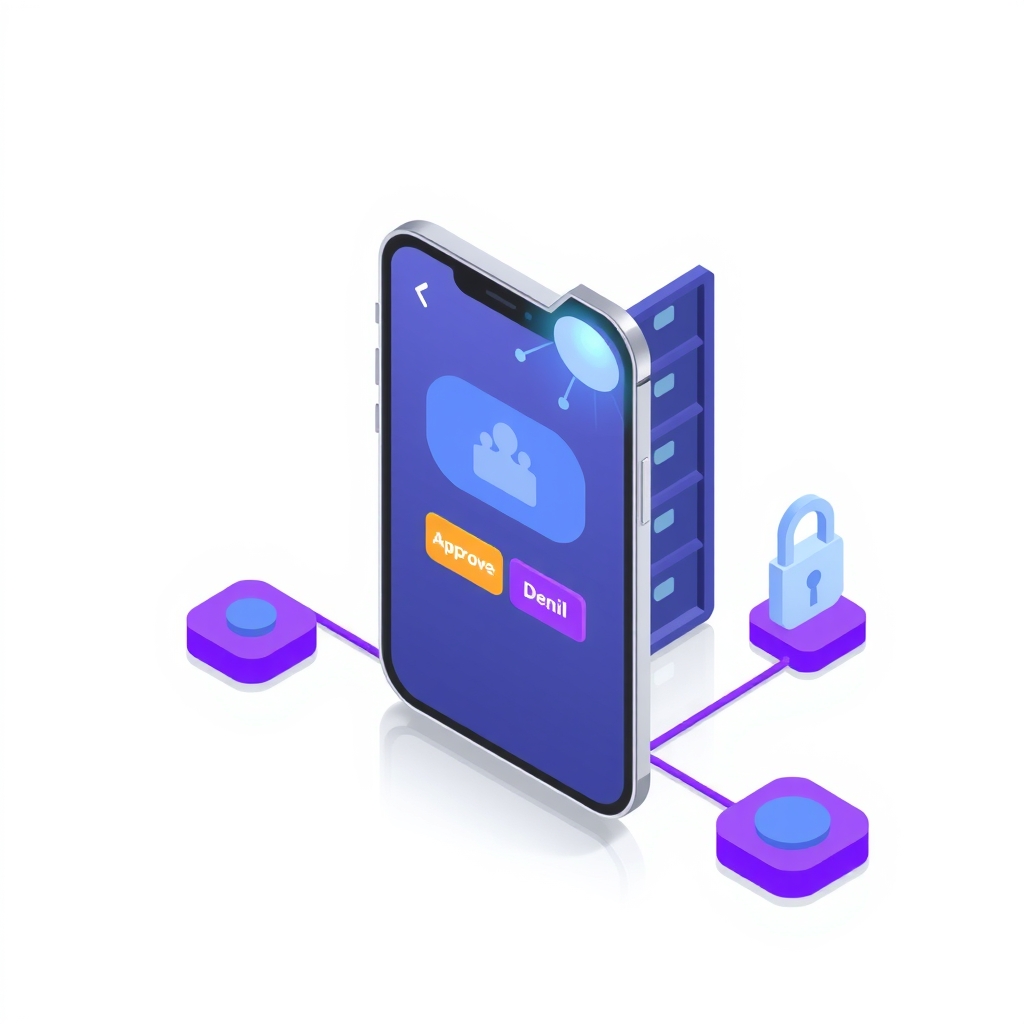
A recent security review of Levelrail, an open-source self-hosted platform, has exposed a design choice in its chat-based deployment approval feature that bypasses standard separation of duties. The author, a developer on the project, demonstrated that while the system correctly blocks self-approval via the command line interface, it permits the same user to approve their own production deploy through Slack or Discord buttons. This occurs because the authentication mechanism trusts the chat channel rather than the individual user clicking the button.
What happened
The investigation focused on Levelrail’s interactive approval buttons, which allow engineers to approve or deny deployments directly from Slack or Discord messages. This feature is designed for convenience, enabling quick decisions from mobile devices without logging into the main dashboard. However, the author found that the security model relies entirely on webhook signature verification between the chat platform and the Levelrail host, rather than mapping chat users to specific Levelrail accounts.
In a controlled test environment, the author deployed an application to a protected environment using the CLI, which correctly identified the request as pending approval. When attempting to approve this deployment using the same CLI token, the server returned a 403 error, enforcing the rule that a different privileged user must decide. However, when the author simulated a Slack button click by crafting a signed HTTP request with the correct HMAC-SHA256 signature, the server accepted the approval. The system recorded the action as coming from the channel itself, noting the clicker’s name only for visibility, not for access control.
This behavior confirms that anyone with access to the chat channel and the ability to forge a valid signature can approve a deployment, including the person who requested it. The author noted that this is documented behavior, but it contrasts sharply with the stricter enforcement found in the dashboard and CLI workflows. The feature is off by default and requires root privileges to configure, but once enabled, it shifts the trust boundary from individual user identities to the collective identity of the chat channel.
Key details
- Platform support: Interactive approval buttons are available only for Slack and Discord; other platforms like Telegram and Microsoft Teams receive plain text notifications only.
- Authentication method: Slack uses HMAC-SHA256 signature verification, while Discord uses Ed25519 public key verification. No session tokens or API keys are transmitted during the click.
- Self-approval risk: The requester can approve their own deployment via chat if they possess the channel’s signing secret, as the system does not link the click to a specific Levelrail user account.
- Testing gaps: While the core deployment approval logic has live end-to-end tests, the chat interaction handlers were only tested with locally signed requests, not against real Slack or Discord workspaces.
- Configuration: Interactive approvals must be enabled per channel via the API or dashboard, as there is no CLI flag for this setting. Only users with root abilities can modify these settings.
- Replay protection: The system prevents double-approval by checking the status of the deployment request, returning a conflict error if the request is no longer pending.
Background
Webhooks are automated messages sent from apps when something happens. In this context, Slack or Discord sends a message to Levelrail when a user clicks a button. To ensure the message is genuine and not forged by an attacker, the platforms sign the payload with a secret key. Levelrail verifies this signature to authenticate the request. However, because chat platforms do not pass user session data to external webhooks, Levelrail cannot verify which specific human clicked the button. It only knows that a valid request came from the configured channel.
Separation of duties is a security principle requiring that critical tasks, such as deploying to production, be performed by at least two different people. This prevents accidental errors or malicious actions by a single individual. Traditional approval workflows enforce this by requiring a second user to log in and explicitly approve the request. Chat-based approvals trade some of this strictness for speed, assuming that the chat channel itself is a trusted group where members already vouch for each other.
Why it matters
For teams running their own software, understanding the trust boundaries of automation tools is critical. If your security policy requires strict separation of duties for production deployments, relying on chat buttons may introduce a compliance gap. The convenience of approving a deploy from a phone is significant, but it comes with the risk that the requester can bypass the second-person check if they have access to the webhook secret. This is particularly relevant for small teams where chat channels might include contractors, bots, or less trusted members.
Additionally, the lack of end-to-end testing against real chat platforms means that the visual rendering and actual delivery of these buttons in a live workspace remain unverified by the project’s automated suite. While the cryptographic verification works as intended, the operational reliability of the feature depends on manual configuration and testing by the user. Teams must decide whether the speed benefit outweighs the reduced audit trail and potential for self-approval.
What you can do
- Audit channel membership: Ensure that only trusted team members have access to Slack or Discord channels where interactive approvals are enabled.
- Restrict webhook secrets: Treat the signing secret for your chat integration as a high-value credential. Limit access to it within your team and rotate it if compromised.
- Use dashboard for critical deploys: For high-risk changes, require approvals via the Levelrail dashboard or CLI, where user identity is strictly enforced and separation of duties is guaranteed.
- Disable interactive buttons: If your compliance requirements demand strict two-person rules, keep interactive approvals turned off for all channels and use chat only for notifications.
- Verify webhook signatures: Regularly check that your Levelrail instance is correctly verifying signatures from Slack or Discord to prevent unauthorized requests from forging approvals.
- Monitor approval logs: Review the deployment approval logs to identify any instances where the requester and approver appear to be the same entity via chat, even if the system allows it.